C
Add as a Preferred Source on Google
Add chsgaragerepair.com as a Preferred Source to see more of their content on Google Search.
AddA complete step-by-step guide to programming LiftMaster remotes, wireless keypads (878MAX, 377LM), MyQ smart Wi-Fi app, and vehicle HomeLink systems. Learn how to configure your opener in under 5 minutes.
Before programming any remote or keypad, identify the Learn button color on the back panel of your LiftMaster motor unit. LiftMaster uses color-coded frequencies: Green (390 MHz Billion Code), Red/Orange (390 MHz Security+), Purple (315 MHz Security+), and Yellow (Security+ 2.0 tri-band).
Pressing the Learn button once puts the opener in programming mode for 30 seconds. Holding it down for 6 seconds erases all stored remotes from memory. For assistance with logic board pairing or remote replacement, CHS Garage Repair provides same-day Seattle opener repair services.
LED light bulb interference is the #1 cause of programming failures. Cheap LED bulbs emit RF noise that blocks 315/390 MHz signals. Use garage-door-safe LED bulbs or incandescent bulbs.
If the Learn button LED does not illuminate when pressed, check outlet power. If the wall console functions but Learn LED stays dark, the internal receiver logic board may be damaged by a power surge.
Replace the 9V battery in the keypad. Type your 4-digit PIN and hold ENTER within 30 seconds of pressing the Learn button until the opener light blinks twice.
If your opener refuses to hold codes, erases memory unexpectedly, or fails travel limit adjustments, CHS Garage Repair technicians provide flat-rate on-site diagnostics across Greater Seattle and the Eastside. All parts and labor are backed by our 1-year warranty.
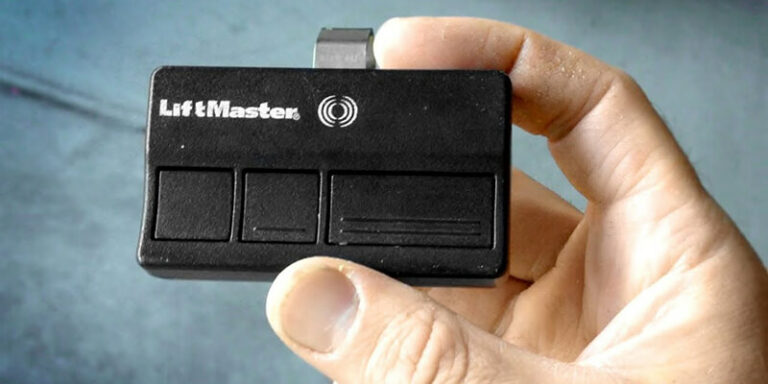
Pairing 1, 2, and 3-button remotes (893LM, 893MAX, 371LM) with your motor unit or Smart Control Panel.
Most LiftMaster openers support up to 40 access devices in memory, including remotes, keypads, and HomeLink vehicles.
No. Adding a new remote does not erase existing ones. Only pressing and holding the Learn button for 6 seconds will erase all paired devices.
LiftMaster openers from 2011 onward with Security+ 2.0 technology feature a round yellow Learn button with a yellow antenna wire.
LiftMaster Security+ remotes work only with LiftMaster, Chamberlain, and Craftsman openers. Use a universal remote for other brands.
Call CHS Garage Repair at (206) 245-5495 or send us a message with what you’re seeing. We’ll talk through the next steps and provide a written estimate before work begins.
Add chsgaragerepair.com as a Preferred Source to see more of their content on Google Search.
Add