
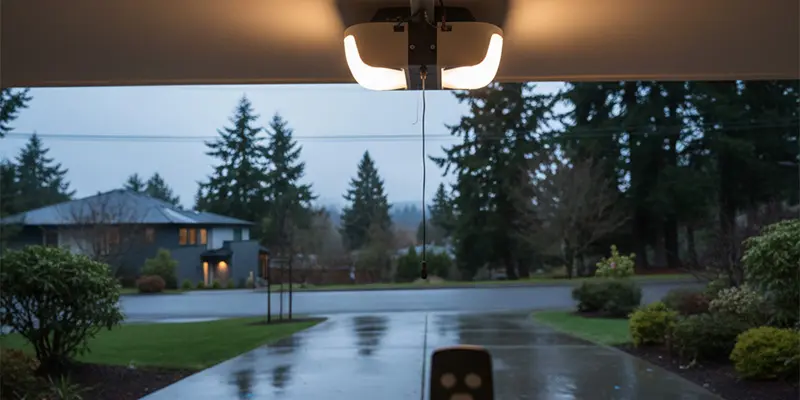
Flick the garage light on and your remote suddenly needs three presses from ten feet away. Turn the light off and everything works again. If that sounds familiar, you are likely seeing radio interference from certain LED bulbs. The good news is you do not need to ditch LED lighting. You just need interference safe bulbs, a few wiring checks, and a little RF common sense. This guide explains what is going on, how to fix it, and how to prevent it from returning in Seattle’s damp, electronics sensitive climate.
Why LED Bulbs Can Break Your Remote
Garage door remotes talk to the opener over a short range radio signal. Poorly filtered LED driver circuits can spray radio noise on or near that same frequency. When the opener’s light turns on, the bulb becomes a tiny radio station that drowns out your remote.
Common symptoms include:
-
Remote only works when you are very close
-
Keypad range drops when the opener light is on
-
Intermittent behavior that matches bulb warm up or cool down
-
Multiple remotes all act weak at the same time
Humidity can amplify the problem because moisture collects on contacts and housings, changing how noise travels and how well antennae receive signals.
Efficient Diagnostics You Can Run in Five Minutes
-
The light switch test
Stand outside the garage with the remote. Try to open the door with the opener light off. Then turn the light on and try from the same spot. If range collapses only when the light is on, the bulb is a likely culprit. -
Bulb swap test
Replace the bulb with an incandescent or a known quiet LED. If the range returns to normal, you have confirmed the interference source. -
Single bulb isolation
If your opener uses two lamps, test one socket at a time. Sometimes only one side has a noisy driver or a poor socket contact. -
Keypad cross check
If the wireless keypad struggles at the same time as your remote, it confirms a radio noise issue rather than a single remote failure.
What Makes a Bulb Interference Safe
Not all LED bulbs are equal. Look for these traits:
-
Listed as “garage door opener compatible” or “low RF interference”
-
Plastic lens and body rather than heavy metal heat sinks that can detune antennae
-
Warm operating temperature which often indicates gentler driver electronics
-
No internal buzzing when powered on
Bulbs marketed for vibration resistance are a bonus for openers mounted on busy doors.
For more lighting specifics and compatibility tips, review the dedicated guide on choosing the right garage door light bulb.
Fixes That Work in Real Garages
1) Choose the Right Bulb
Pick opener friendly LEDs rated for garage use. Avoid cheap multi-pack LEDs with large metal bases. If in doubt, keep one proven bulb in the opener and use other LEDs for ceiling fixtures away from the motor.
2) Clean and Tighten Lamp Sockets
Power off the opener. Remove the bulb and inspect the socket for corrosion or soot. Lightly clean the contact with a cotton swab and rubbing alcohol, then snug the bulb firmly. Loose contacts arc and create additional noise.
3) Add a Ferrite Choke to the Lamp Leads
Clip-on ferrite chokes around the lamp wires or around the opener’s light circuit harness can reduce high frequency noise. They are inexpensive and install in seconds.
4) Reroute Antenna Position
Most openers have a short dangling antenna wire. Straighten it downward and keep it away from metal tracks, the lamp housing, and coiled power cords. A small change in angle can restore ten to fifteen feet of range.
5) Separate Power Sources When Possible
If your opener shares a duplex with a freezer or air compressor, plug the other appliance into a different outlet to reduce line noise. Avoid cheap extension cords for the opener.
6) Check the Wall Control and Safety Sensor Wiring
Low voltage wires act like antennas if they are bundled tightly against power cables. Gently separate them and secure with small clips so they do not vibrate.
7) Seal Out Moisture
Dampness on the door frame and lamp sockets increases corrosion and noise. Replace cracked weatherstrips and confirm the bottom seal makes solid contact with the floor to keep mist and spray out of the opener housing.
Troubleshooting by Symptom
-
Remote works with the door open but fails when closed
The metal door may be blocking the antenna. Extend the antenna wire below the motor head by another inch or two and keep it pointed straight down. -
Range is fine during the day but fails at night
The opener light or exterior sconces are probably the source. Swap those bulbs first. -
Only the keypad is unreliable
Replace the keypad batteries and clean the contacts. If the problem happens only when the opener light is on, you are still chasing RF noise. -
Door sometimes reverses while closing
That is likely a safety sensor issue, not RF. Review alignment and indicator lights. If you see a persistent amber or yellow light, use this troubleshooting guide for the garage door sensor light yellow.
Preventive Steps for Long Term Reliability
-
Standardize on one proven LED model in all fixtures attached to the opener circuit
-
Label the opener bulbs so no one swaps them with noisy multipack LEDs during spring cleaning
-
Use surge protection at the opener outlet to protect sensitive logic boards
-
Schedule an annual tune up to tighten hardware, lubricate rollers, and verify force settings so the opener runs smoothly with less electrical stress
-
Keep electronics dry by upgrading perimeter seals and fixing floor gaps that invite spray
When to Consider an Opener Upgrade
If your motor is older than ten to fifteen years, struggles to lift a balanced door, or lacks rolling code security and vacation lock mode, upgrading may solve RF quirks while adding safety features. Newer DC belt or jackshaft openers have better filtering and more robust receiver designs, which makes them less sensitive to noisy bulbs.
Step by Step Action Plan
-
Test with lights on and off and note the difference in range
-
Replace the opener bulbs with interference safe LEDs
-
Clean sockets and snug the bulbs
-
Straighten the antenna wire away from metal parts
-
Add clip-on ferrite chokes if range still falls short
-
Separate low voltage and power wires where possible
-
Consider a surge protector and seal upgrades for moisture control
-
If problems persist, book a professional evaluation to check door balance, sensor wiring, and receiver health
FAQs
Do smart bulbs cause the same problem
Often worse. Smart bulbs have radios inside that add more noise near the opener receiver. Keep the opener lamps simple and use smart fixtures on separate circuits instead.
Can I just turn off the opener light permanently
Yes, but it is not ideal for safety. Better to fix the interference and keep the light for entering and exiting safely.
Will exterior LED sconces interfere too
If they share the same circuit or sit very close to the opener housing, they can. Try a temporary incandescent in the sconce to test, then replace with a better screened LED.
Is incandescent the only backed by our workmanship warranty fix
Incandescent bulbs do not cause RF noise, but you can have the same zero interference with properly designed LEDs while saving energy.
What if the range is always short, light or no light
That points to antenna placement, a damaged receiver board, weak remote batteries, or a poor ground at the outlet. A technician can test these within a reasonable timeframe.
Key Takeaways
-
The wrong LED bulbs can disrupt opener radio signals and cut remote range
-
Interference safe LEDs, clean sockets, and proper antenna routing solve most cases
-
Small accessories like ferrite chokes help when noise is stubborn
-
Moisture control and annual maintenance improve electronic reliability year round
-
Upgrading older openers adds both RF robustness and modern safety features
Persistent signal interference often indicates the opener antenna or logic board needs attention. Our team offers opener repair in Seattle and can upgrade your unit to a model with improved frequency filtering through our opener installation service.