C
Add as a Preferred Source on Google
Add chsgaragerepair.com as a Preferred Source to see more of their content on Google Search.
AddA garage door keypad provides fast, keyless access to your home. Over time, updating your garage door code is essential for security — whether you have recently moved into a new home, shared your code with contractors, or suspect your PIN has been compromised. At CHS Garage Repair Of Seattle, we understand the importance of home security. In this comprehensive guide, we’ll walk you step-by-step through how to change and reset your garage door keypad code for all major brands, including LiftMaster, Chamberlain, Genie, and Craftsman.
Most modern garage door openers (manufactured after 1993) feature a dedicated “Learn” or “Program” button located on the back or side of the ceiling-mounted motor unit.
Older garage door openers (pre-1993) use physical DIP switches inside the remote, keypad, and motor unit rather than a digital Learn button.
| Feature | With “Learn” Button | DIP Switch (No Learn Button) |
|---|---|---|
| Ease of Reset | Easy (Digital Pairing) | Moderate (Manual Switch Matching) |
| Time Required | 3 – 5 Minutes | 10 – 15 Minutes |
| Common Brands | LiftMaster, Chamberlain, Genie, Craftsman | Legacy Genie, Stanley, Multi-Code |
| Tools Required | None (Step ladder only) | Screwdriver |
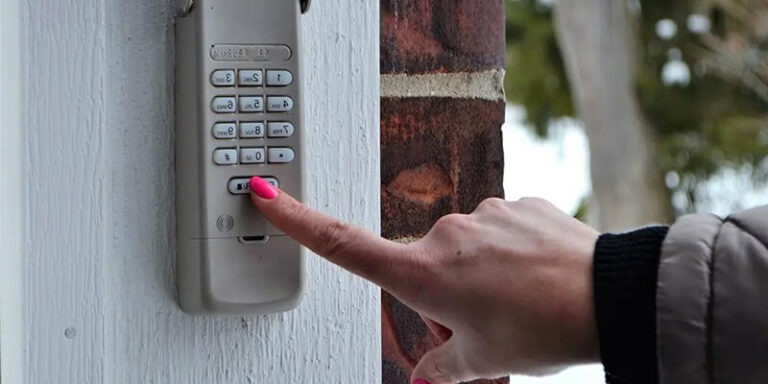
If you do not know the current PIN, you can usually reset the keypad by pairing it again from the opener’s Learn button. Press the Learn button on the motor unit, then enter a new PIN on the keypad and press Enter within about 30 seconds. See our LiftMaster programming guide for Learn button steps, or where to find your opener code.
If you forget your code, you do not need to replace the keypad. Simply press the Learn button on your motor unit to program a fresh 4-digit code using the steps outlined above. On most keypads you then enter the new code and press Enter within 30 seconds.
We recommend updating your garage door keypad code every 6 to 12 months, or promptly after hosting contractors, house sitters, or moving into a newly purchased home.
First check that you pressed Enter after the new code and that the keypad is compatible with your opener’s Learn button color. If your keypad still fails after a fresh battery install and reset attempt, the issue may stem from radio frequency interference, frayed antenna wire, or a failing logic board in the motor unit.
If your keypad continues failing after a reset or your opener logic board needs replacement, CHS Garage Repair is here to assist. For assistance with keypad programming, opener logic board issues, or total security upgrades, reach out to CHS Garage Repair for professional Seattle garage door repair.
Prefer a pro to program and test everything for you? Call (206) 245-5495 or book through our Redmond service page.
Add chsgaragerepair.com as a Preferred Source to see more of their content on Google Search.
Add