
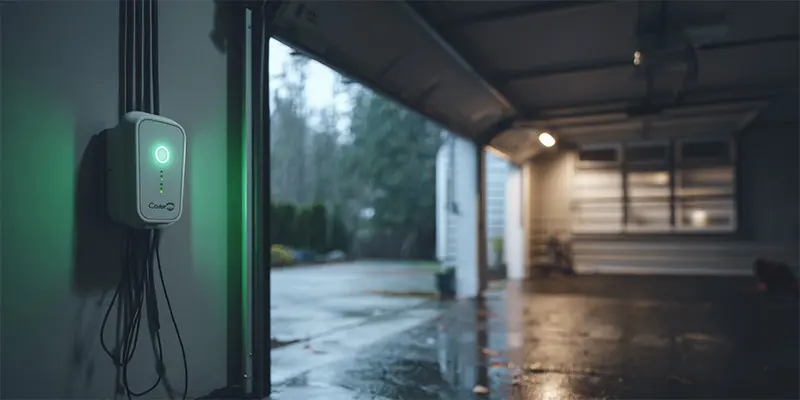
Seattle gets its share of wind, rain, and sudden outages. What many homeowners do not see is the silent aftermath inside the garage opener. Voltage spikes and dirty power can scorch a logic board, scramble Wi-Fi modules, and leave safety sensors blinking. The fix is not just a new bulb or battery. It is a layered surge protection plan tailored to the way a garage actually works. This guide explains where surges come from, how they wreck electronics, which protectors make a real difference, and how to install them without creating new problems.
Why Garage Door Openers Are Vulnerable
Openers contain sensitive electronics: a logic board, radio receiver, power supply, and sometimes a battery charger. These parts expect steady voltage. Surges and line noise slip in through three paths:
-
AC line from your home’s electrical panel during grid switching, generator startup, or nearby lightning.
-
Low voltage wiring that runs to wall buttons and safety sensors. Long wire runs can act like antennas and couple in noise.
-
Accessory ports such as smart camera leads or add-on modules that share ground with the main board.
Because the opener sits near large metal surfaces and long wire runs, it is often the first device in the house to show symptoms when power quality drops.
Common Symptoms After a Surge
-
Opener lights up but refuses to run, or runs once and dies
-
Wall console works but remotes and keypads do not respond
-
Random reboots, Wi-Fi disconnects, or clock resets
-
Safety sensors flicker even after alignment and cleaning
-
A faint burnt smell from the motor head housing
If any of these appear right after a storm or utility work, suspect power quality before replacing random parts.
The Three Layer Defense That Actually Works
A single plug-in strip is better than nothing, but a layered approach protects against both big spikes and daily line noise.
Layer 1: Whole-home Surge Protection at the Panel
An electrician installs a Type 1 or Type 2 protector at your main service panel. It clamps large incoming surges before they travel to branch circuits. This device does not replace local protection, but it lowers the peak energy so downstream protectors do not get overwhelmed.
Layer 2: Dedicated Outlet Protection in the Garage
Use a high quality, UL 1449 listed surge protector or surge-suppressing outlet for the opener itself. Look for a joule rating of 1000 or higher, a clear protection status indicator, and EMI/RFI filtration to calm everyday line noise. Mount the device where you can see its status light without climbing a ladder.
Layer 3: Low-voltage and Accessory Discipline
Neatly separate sensor and wall-button wires from AC power cords and LED power supplies. Where wires must cross, do so at right angles. If you have unusually long runs to exterior keypads or add-ons, clip ferrite chokes around those low-voltage leads to reduce high frequency noise.
Choosing the Right Plug-in Protector
Not all surge strips are equal. Here is what to look for:
-
UL 1449, current edition on the label
-
Joule rating of at least 1000 for a single opener, more if you plug in lighting or a camera nearby
-
Clamping voltage of 400 V or less on the L-N, L-G, and N-G modes
-
Indicator light for protection status and a grounded outlet test
-
Tight, grounded fit in the ceiling receptacle so vibration does not loosen it
Avoid cheap adapters without UL markings or products that share a long extension cord with a freezer or compressor. Large motors can inject noise right back into the strip.
Where and How to Install It
-
Inspect the outlet above the opener. If it is loose or ungrounded, have an electrician correct it first.
-
Plug in the protector directly, not through a long cord. Short connections improve clamping.
-
Route the opener’s power cord with a gentle loop so it cannot rub against the rail or door hardware.
-
Keep LED bulbs compatible with openers. Noisy bulbs can still disrupt remotes even with good surge protection. If your remotes act weak when the light is on, start with a bulb swap and antenna repositioning, then continue surge planning.
-
Label the protector’s install date so you can replace it proactively after a major surge event.
Managing Outages and Brownouts
Surges often bookend outages. When power returns, voltage can overshoot briefly. A healthy battery backup protects operation during the outage and reduces stress on the logic board during unstable returns. If your unit supports a battery, test it twice a year so it is ready when you need it. For brand specific maintenance and replacement guidance, read the detailed article on the LiftMaster opener battery for best practices and lifespan tips: https://chsgaragerepair.com/liftmaster-opener-battery/.
Wi-Fi Reliability and Surge Events
Power spikes can corrupt network settings or cause the radio to hang. After the grid stabilizes:
-
Power cycle modem, router, and opener in that order.
-
Check that your 2.4 GHz network is available and not band-steering the opener.
-
If app control still lags, rejoin the network and update firmware on both the router and the opener.
If you also notice cool, damp air pooling near the threshold after storms, take a moment to tighten up the perimeter. Sealing small gaps keeps mist off electronics and prevents sensor corrosion. A refresher on techniques is here: https://chsgaragerepair.com/how-to-seal-garage-door-gaps/.
Grounding, Bonding, and the Garage Environment
Surge protectors work by shunting energy to ground. That only helps if ground is solid. Ask an electrician to verify:
-
The garage circuit has a proper equipment grounding conductor
-
Bonding is intact between the service panel, cold water ground or grounding electrode system, and any subpanels
-
The opener outlet is wired with correct polarity
Inside the garage, keep moisture away from the motor head. Replace cracked bottom seals and fix roof or gutter leaks that drip onto the opener housing. Corrosion raises contact resistance and makes electronics more sensitive to even mild surges.
LED Lighting, Noise, and Sensor Behavior
Even with surge protection, poor quality LEDs can flood the opener’s receiver with radio noise. Choose garage rated bulbs and clean the lamp sockets so contacts are tight. If the safety sensors blink or the remote loses range only when the lights are on, solve the bulb issue first, then address any remaining surge concerns with the layered plan above.
What to Do After a Suspected Surge
-
Smell test. If you detect a burnt odor, unplug the opener and contact a professional.
-
Visual check. Look for scorch marks on the board cover, melted insulation, or a dark protection light on the surge device.
-
Functional test. Try the wall button, then a remote, then the keypad. Note which inputs work.
-
Sensor check. Confirm both photo-eyes show solid indicators and the door reverses properly.
-
Network check. If the app shows offline, reboot networking in proper order.
-
Decide repair or replace. If the logic board is dead on a very old opener, consider upgrading to a modern DC belt or jackshaft unit with integrated battery backup and improved filtering.
FAQs
Will a surge protector stop lightning
No device can promise that. A whole-home suppressor at the panel plus a good plug-in protector drastically reduce risk from nearby strikes and utility switching. For direct strikes, grounding and bonding quality matter most.
Do I need a GFCI outlet for the opener
Local code often requires GFCI protection in garages. Many modern GFCI outlets also include surge protection, but verify the surge specs since some are minimal.
Can I daisy chain protectors
No. Use one correctly rated protector per outlet. Daisy chains can create extra resistance and heat.
How often should I replace a surge strip
After any major surge that trips its indicator or every 3 to 5 years in high-event areas. The internal components wear down each time they clamp a spike.
Will a UPS help
A true sine wave UPS can ride through brief outages and filter noise, but ensure the VA rating is adequate. For most homes, a surge protector plus the opener’s own battery backup is the cleaner solution.
Maintenance Checklist Twice a Year
-
Verify the surge protector’s status light is on
-
Test GFCI if present
-
Wipe dust from the opener vents and lamp sockets
-
Confirm solid Wi-Fi connection and app notifications
-
Inspect sensor wiring for nicks and secure it away from AC cords
-
Test battery backup by unplugging AC and cycling the door once
-
Look for moisture entry points and reseal as needed
When to Call a Professional
-
The opener trips breakers or GFCI as soon as it powers up
-
You see board damage, melted connectors, or burnt smell
-
Sensors blink despite cleaning and alignment
-
The door runs erratically after power events
-
You are upgrading to a whole-home surge protector at the panel
A trained technician can isolate whether the fault is a failing board, miswired outlet, or interference from lighting and accessories. Correct diagnosis prevents replacing good parts while the root cause remains.
Key Takeaways
-
Surges and line noise reach the opener through the AC line, low-voltage wiring, and accessories
-
A layered plan works best: whole-home protection at the panel, a quality plug-in protector at the opener, and clean wiring practices
-
Healthy battery backup and moisture control improve survival during outages and stormy returns
-
Choose opener friendly LED bulbs and maintain clean, tight contacts to avoid radio noise
-
Inspect protection devices and wiring twice a year so you are not surprised on the next windy night
With solid surge protection in place, your garage door opener will ride through Seattle’s unpredictable power events quietly and reliably, keeping your family’s most used entrance safe and online.